
EK1 Games Security Features Explained – How To Protect Your EK1 Account In 2026
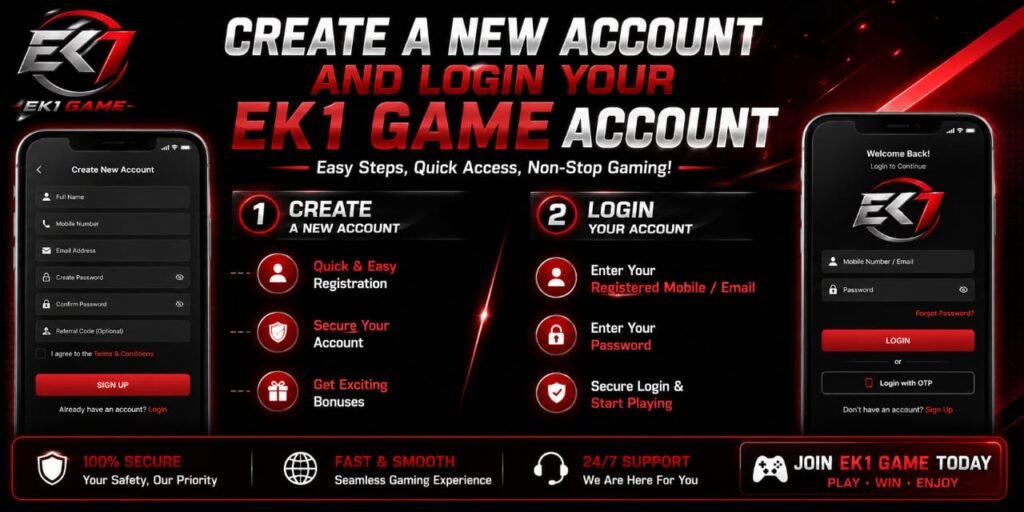
Account security has become an essential part of using any online gaming platform. As more players use mobile devices, digital wallets, and online accounts, protecting login credentials and personal information is increasingly important. EK1 Games security features are designed to help users maintain control of their accounts and reduce the risk of unauthorized access.
In 2026, we recommend treating account security as an ongoing responsibility rather than something that only matters after a problem occurs. A secure account begins with a strong password, continues with careful login habits, and is strengthened by using every legitimate security option available on the platform.
This detailed guide explains the most important EK1 account security practices, common threats players should recognize, and practical steps we can take to protect an EK1 account.
Why EK1 Account Security Matters
An online gaming account may contain more than basic login information. Depending on the platform and the features available, an account can be connected to personal details, transaction information, bonuses, gaming activity, and other sensitive data.
If another person gains access to an account, they may potentially change account information or attempt to misuse connected services. For this reason, we should never treat a gaming account password as unimportant.
Use a Strong and Unique EK1 Password
One of the most important steps in protecting an EK1 account is creating a strong, unique password.
A weak password can be easier to guess, especially when it contains information such as a name, birthday, mobile number, or simple sequence. We should avoid passwords such as:
123456passwordek123456- Our name followed by numbers
- Repeated or predictable combinations
Instead, we should create a password that is difficult to guess and isn’t used for another website.
A strong password should generally contain a combination of uppercase letters, lowercase letters, numbers, and special characters. Longer passwords are also preferable to short, predictable ones.
Never Share Login Credentials
A legitimate support representative should not require us to publicly post our complete password or authentication codes.
We should therefore keep the following information private:
- Account password
- One-time verification codes
- Authentication codes
- Recovery information
- Payment credentials
- Security answers
- Private account details
Even if someone claims to be an administrator, employee, promoter, or support representative, we should verify their identity through an official channel before providing sensitive information.
A common security mistake is assuming that a convincing message must be legitimate. Professional-looking messages can still be fraudulent.
Recognize Phishing and Fake EK1 Websites
Phishing is one of the most common ways attackers attempt to steal account credentials.
A phishing message may encourage us to click a link, confirm an account, claim a bonus, fix a security issue, or verify payment information. The link may lead to a website designed to resemble a legitimate login page.
Before entering an EK1 username or password, we should carefully verify that we are using the official website or official application.
Warning signs can include:
- Unexpected login requests
- Urgent messages demanding immediate action
- Suspicious website addresses
- Unusual spelling or grammar
- Requests for passwords or verification codes
- Promises of unusually large rewards
- Messages claiming that an account will be closed immediately
- Links received from unknown sources
If a message seems suspicious, we should avoid clicking its links and instead navigate to the legitimate service independently.
Check the Website Address Before Logging In
A familiar-looking login page isn’t enough to prove that a website is genuine.
Before entering account credentials, we should inspect the website address carefully. Attackers may create domains that resemble legitimate services by changing a character, adding extra words, or using a misleading domain extension.
We should also check that the connection uses HTTPS and that the browser does not display a security warning.
However, HTTPS alone doesn’t prove that a website is legitimate. A fraudulent website can also use HTTPS. The most important step is confirming that the domain itself belongs to the legitimate service.
Keep the EK1 App and Device Updated
Security isn’t limited to the account itself. The device used to access the account also needs protection.
We should keep the operating system, browser, and legitimate applications updated. Software updates frequently include security fixes that address vulnerabilities discovered after an earlier version was released.
Using an outdated operating system or browser can expose a device to unnecessary risks.
We should also download applications only from trusted and legitimate sources. Avoid modified APK files, unofficial copies, suspicious download pages, and applications that request unnecessary permissions.
Monitor Account Activity Regularly
Regular account monitoring can help identify unusual activity sooner.
If the platform provides login history, device management, security notifications, or active-session controls, we should review them periodically.
Look for:
- Unknown devices
- Unexpected login locations
- Unfamiliar login times
- Password-change notifications we didn’t initiate
- Unexpected account changes
- Unrecognized transactions or activity
If something looks unfamiliar, we should investigate it through the official account-security process rather than communicating with an unknown person who claims they can fix the problem.
Never Give Verification Codes to Anyone
One-time passwords and authentication codes should be treated like passwords.
If someone asks us to provide a verification code, we should stop and verify the request independently.
Attackers sometimes obtain a password first and then contact the victim pretending to be support. They may claim that a code is required to cancel a transaction, verify ownership, unlock an account, or activate a reward.
The safest rule is straightforward:
A verification code intended for our account should remain private.
Protect Your Mobile Device
For users who access EK1 through a smartphone, mobile security is particularly important.
We should use a secure screen lock such as a PIN, password, fingerprint, or another supported authentication method. We should also avoid leaving an unlocked device unattended.
Additional precautions include:
- Install operating-system updates.
- Remove applications that are no longer needed.
- Review application permissions.
- Avoid unknown APK files.
- Keep device backups available where appropriate.
- Don’t share the device’s security credentials.
- Avoid connecting to suspicious networks.
A secure account can still be compromised if the device used to access it is poorly protected
Avoid Fake Bonuses and Promotions
Gaming-related accounts are often targeted by scams involving attractive bonuses or rewards.
A message may claim that we have received a special bonus and ask us to log in through an unfamiliar link. Another may ask for a small payment or personal information before a reward can supposedly be released.
We should verify promotions through the legitimate EK1 platform rather than trusting unsolicited messages.
Never exchange account security for the promise of a bonus.
Create a Simple EK1 Security Routine
Good security doesn’t need to be complicated. We can establish a simple routine:
Before logging in:
Check that we’re using the legitimate website or application.
During login:
Keep passwords and verification codes private.
After using a shared device:
Sign out completely and don’t save credentials.
Regularly:
Review account activity, devices, security settings, and recovery information.
After receiving a suspicious message:
Don’t click the link. Verify the information independently.
This routine can significantly reduce avoidable security mistakes.
Common EK1 Account Security Mistakes to Avoid
Several habits can weaken an otherwise secure account.
Using the Same Password Everywhere
Password reuse creates a chain reaction. If one service is compromised, the same credentials may be tested against other accounts.
Downloading Unofficial APK Files
Modified or unofficial applications may contain unwanted software or request excessive permissions. We should use legitimate software sources whenever possible.
Sharing OTPs
An OTP should never be shared simply because someone claims to need it for verification.
Clicking Urgent Links
Urgency is frequently used to pressure users into making quick decisions. We should slow down and verify the request.
Ignoring Security Notifications
Unexpected security alerts shouldn’t automatically be dismissed. They can provide an early indication of suspicious activity.
EK1 Account Security Checklist for 2026
We can use the following checklist to maintain better account protection:
- Use a long, unique password.
- Enable available two-factor authentication.
- Keep passwords and OTPs private.
- Use official EK1 login channels.
- Check website addresses before entering credentials.
- Avoid suspicious APK files and unofficial applications.
- Keep phones and computers updated.
- Protect the email account connected to the service.
- Review account activity regularly.
- Avoid saving credentials on public computers.
- Be cautious with unexpected bonuses and promotions.
- Act quickly if unauthorized activity is suspected.
Final Thoughts on EK1 Games Security
Strong EK1 account security in 2026 depends on several layers working together. A secure password is important, but it should be supported by responsible login habits, device protection, careful handling of verification codes, and awareness of phishing attempts.
We should always access the service through legitimate channels, keep sensitive credentials private, and treat unexpected account messages with caution. Security notifications, password changes, device reviews, and additional authentication methods can provide valuable protection when used correctly.
Most importantly, we should remember that no bonus, promotion, or urgent message is worth compromising our account credentials. By following a consistent security routine and responding quickly to suspicious activity, we can reduce common risks and maintain better control over our EK1 account throughout 2026.